
What Treatment Planning Software Does
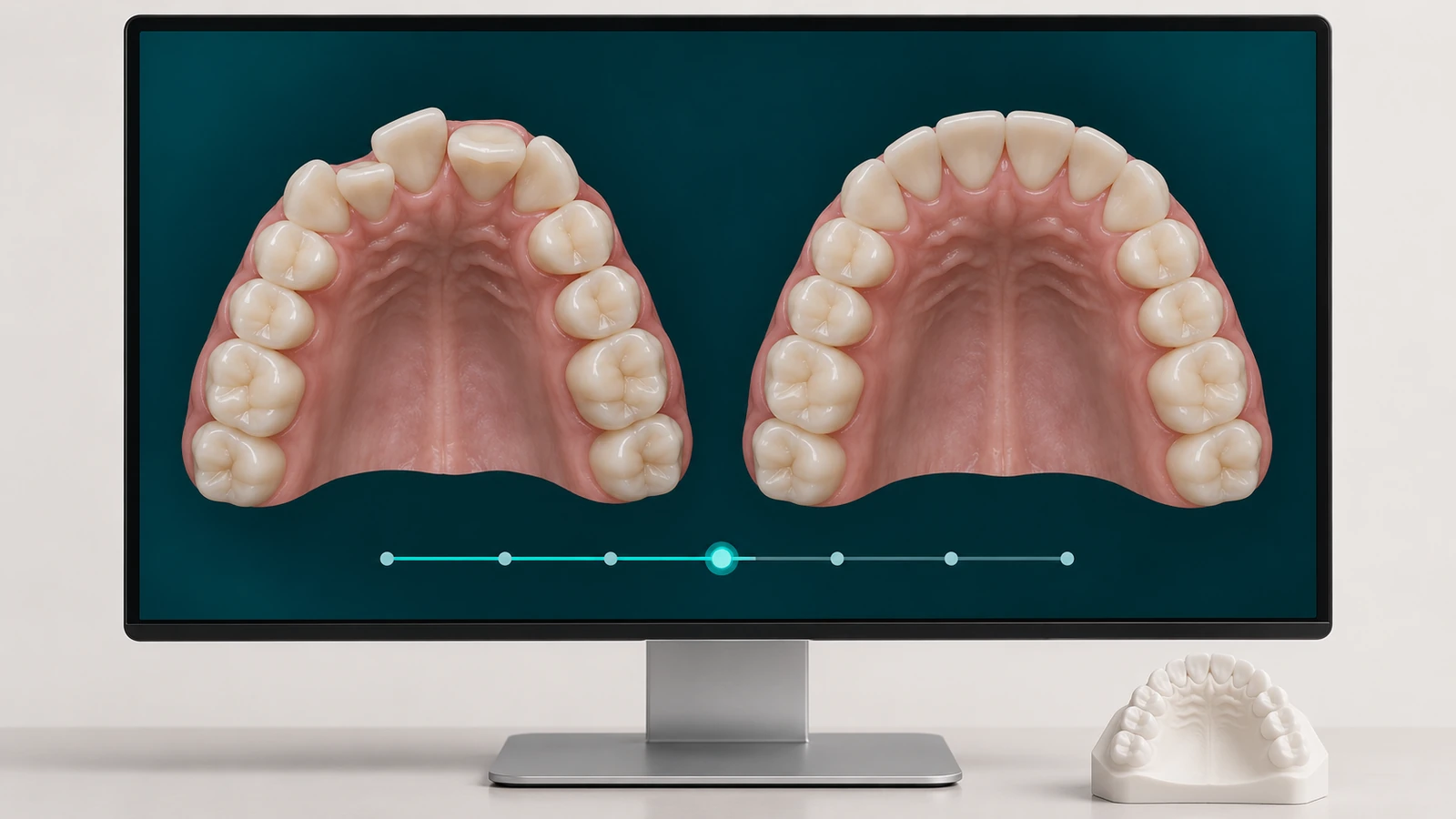
Every clear aligner case starts as a digital setup. Treatment planning software is the CAD tool that turns a patient's intraoral scan into a staged sequence of tooth positions, adds attachments and interproximal reduction (IPR), and exports a 3D model for each stage, ready for printing and thermoforming.
For dental labs and clinics weighing in-house aligner production, choosing that software is one of the biggest decisions in the workflow. The platform decides how fast technicians can segment and stage a case, how much control the clinician has over each movement, which files reach your printers and how patient data is stored.
This guide is for lab owners, technicians, orthodontists, dentists and DSO teams comparing platforms. It covers what to compare, what the evidence says about digital setups, the regulatory and data security questions to ask, and when outsourcing the setup is the better choice.
- Check regulatory status first. In the US, orthodontic treatment planning software is a Class II device that goes through FDA 510(k) review, and in the EU, software with a medical purpose can qualify as a device under the MDR.
- Judge staging tools, not renders. Studies show achieved tooth movement often falls short of the plan, so movement limits, sequencing and overcorrection matter more than a polished final image.
- Insist on open files. Look for STL, PLY and OBJ import, CBCT support and unrestricted STL export of every stage.
- Get data terms in writing. A cloud platform holding US patient data needs a HIPAA business associate agreement, and EU processing needs a GDPR processor contract.
- Count the full cost. Licenses, export fees, hardware, training and technician hours decide whether buying beats outsourcing.
From Scan to Staged Models
Most platforms follow the same sequence. Each step is a place to compare how much the software automates and how much control it leaves you:
- Import and clean the scans.Load both arches and the bite, repair holes and trim excess soft tissue. Clean files save time at every later step, which is why our STL file requirements matter before planning starts.
- Segment the teeth.Separate each crown from the gingiva and define tooth axes. Many platforms now automate this step, with manual tools to correct the margins.
- Set the final position.Define arch form, occlusion, midlines and the movements the clinician has prescribed.
- Stage the movement.Divide the total movement into steps, sequence difficult movements and check for collisions between teeth.
- Add attachments, IPR and auxiliaries.Place attachments, plan IPR contact by contact, and add bite ramps, precision cuts or hooks for elastics where the case needs them.
- Review, approve and export.Share the setup with the clinician for approval, then export a model for every stage with case and stage identifiers.
What to Compare: A Buyer's Checklist
Run every platform on your shortlist against the same criteria. The table shows what good looks like, and the question that separates strong platforms from weak ones.
| Criterion | What good looks like | Question to ask |
|---|---|---|
| Segmentation | Automated segmentation with fast manual correction of margins and axes | How long does a full-arch case take to segment and correct? |
| Staging control | Per-tooth movement limits, sequencing, collision checks and overcorrection | Can I limit movement per stage for each tooth and movement type? |
| Attachments and IPR | An editable attachment library and IPR planned per contact, with printable reports | Can the clinician see exactly where, when and how much IPR is planned? |
| Auxiliaries | Bite ramps, precision cuts, hooks and pontics designed in the setup | Are auxiliaries part of the setup or added by hand later? |
| File compatibility | STL, PLY and OBJ import from any scanner, plus CBCT (DICOM) support | Will it accept files from every scanner my clients use? |
| Model export | Open STL export of every stage, with bases, hollowing and labels | Is export unlimited, or charged per case or per stage? |
| Collaboration | Web review links, comments, version history and recorded approvals | Is every clinician approval logged against the version approved? |
| Regulatory status | Cleared or certified for the markets where the aligners will be used | What is the clearance or certificate number, and what is its intended use? |
| Data security | Encryption, role-based access, audit logs and a stated data location | Will you sign a business associate agreement or processor contract? |
| Cost and support | Clear licensing, training, updates and responsive technical support | What will year one and year three cost at my expected volume? |
Weight the criteria by how you work. A lab producing aligners for many clinics should weight file compatibility, collaboration and export terms heavily, while a single practice may care most about how quickly a clinician can review and approve a setup.
Why Staging Controls Matter More Than Renders
A digital setup is a prediction, not a guarantee. Studies that superimpose planned and achieved tooth positions consistently find a gap. A 2020 prospective study of one widely used aligner system reported a mean accuracy of 50% across all tooth movements, with rotation the least accurate movement type at 46%. A systematic review and meta-analysis of rotational movement found the lowest accuracy for maxillary canines, at 47.9%, and the highest for mandibular incisors, at 70.7%.
Those figures describe aligner treatment in general, not any one software package, but they show what to look for. The final position on screen is the easy part. The tools that improve predictability control how the movement is delivered: limits on movement per stage, sequencing of difficult movements, attachment design, staged IPR and planned overcorrection. Our guide to attachments, IPR and staging explains how those decisions change outcomes, and our checklist for reviewing a 3D treatment setup shows what a clinician should check before approving.
What AI Features Can and Cannot Do
Automation is now common in planning platforms, especially for segmentation and first-draft setups, and the time savings can be real. In a 2024 study of automated tooth segmentation on intraoral scans, a neural network segmented each jaw in an average of about 32 seconds.
Automation does not remove the need for review. A segmentation error at the gingival margin, a misplaced tooth axis or an auto-staged plan that ignores the clinician's prescription carries straight through to the aligners. Treat automated output as a first draft: check margins and axes, confirm the staging logic, and keep a named technician or clinician responsible for every approved setup.
File Formats and Open Workflows
File handling decides whether a platform fits your lab or locks you in. On the import side, the software should accept STL, the most common scan export, as well as PLY and OBJ, which can carry color information that helps with margins and gingiva. CBCT data in DICOM format lets some platforms show roots alongside crowns, which helps where root position matters.
On the export side, you need an open STL file for every stage, with the bases, labels and hollowing your printers expect. Check whether export is unlimited or charged per case or per stage, and whether you can retrieve all of a patient's files if you change platforms. A lab serving many clinics should also confirm it can accept scans from every intraoral scanner its clients use.
Is Planning Software a Medical Device?
In many markets, yes. In the US, FDA product code PNN, orthodontic software, covers software used for the diagnosis and treatment planning of orthodontic patients. It is a Class II device that goes through 510(k) review and is intended for prescription use only. The aligners themselves are regulated separately, as Class II sequential aligners under product code NXC.
In the EU, software with a medical purpose can qualify as a medical device under the MDR. The European Commission's MDCG 2019-11 guidance, revised in June 2025, explains how such software is qualified and classified.
Before you buy, ask for the clearance or certificate for each market you serve, and check that its intended use matches how you will use the software. If you plan to manufacture aligners in-house, the aligners need their own regulatory route, so confirm yours with a regulatory advisor. Our clear aligner certifications guide explains the main frameworks.
Data Security and Patient Privacy
Cloud-based planning platforms store scans, photos and records that identify patients. In the US, the HHS guidance on HIPAA and cloud computing treats a cloud service provider that creates, receives, maintains or transmits electronic protected health information as a business associate, which means a HIPAA-compliant business associate agreement is required. That applies even when the provider holds only encrypted data it cannot read. In the EU, Article 28 of the GDPR requires a binding contract with any processor that handles personal data on your behalf.
Ask every vendor:
- Will you sign a business associate agreement or processor contract?
- Where is patient data stored, and is it encrypted in transit and at rest?
- Can access be restricted by role and location, with an audit log of who viewed or changed each case?
- How are files exported or deleted when a case closes or the contract ends?
Total Cost: Buy Software or Outsource Planning?
The license fee is rarely the largest cost of in-house planning. Count every line before you compare it with an outsourced per-case fee:
| Cost line | What to include |
|---|---|
| Software | Subscription or license, plus any per-case or per-export fees |
| Hardware | Workstations that run the software smoothly, plus backup storage |
| Training | Time for technicians to learn setup design to a clinical standard |
| Technician time | Segmentation, staging, revisions and export for every case |
| Clinical review | The clinician's time to review and approve each setup |
| Support and updates | Upgrade costs, support plans and downtime |
In-house planning tends to make sense when you have steady case volume, a technician or orthodontist experienced in setup design, and a need for same-day control over revisions. Outsourcing tends to make sense when volume is uneven, setup expertise is thin, or you want to test aligners before committing to software and staff. Many labs combine the two, planning simple cases in-house and outsourcing complex ones, or outsourcing all planning while they print and thermoform themselves. Our article on the benefits of outsourcing treatment plans covers that model in more detail.
Compare before you commit
Send us a sample case for a quote, and compare our 3D setup and turnaround with your in-house cost per case.
[email protected]Common Mistakes When Choosing Software
- Buying on the render instead of testing staging control on difficult cases.
- Trialing with easy cases only, so weaknesses appear after you have committed.
- Ignoring export terms until per-stage fees appear on the first invoice.
- Skipping the regulatory check for each market you serve.
- Storing patient data on a platform without a business associate agreement or processor contract.
- Underestimating training time for technicians new to orthodontic setups.
How Clear Moves Aligners Helps
Clear Moves Aligners is a clear aligner manufacturer and treatment planning partner for clinics, dental labs, DSOs and aligner brands. If you are not ready to buy and staff your own planning software, our in-house orthodontic team designs stage-by-stage setups for you. You upload STL or PLY scans through our secure doctor portal, and every plan includes a tooth movement simulation, IPR guides with exact measurements, attachment placement maps, the number of aligner stages and the predicted treatment duration.
Initial 3D plans are typically delivered within 24 to 48 hours of receiving approved digital scans, and we revise them until you approve. Labs and clinics that print and thermoform in-house can use our treatment planning service on its own, without a manufacturing commitment, or combine it with full manufacturing. Our aligners are FDA 510(k)-cleared (K241137, product code NXC), and we are ISO 13485 certified, CE-marked under the EU MDR, MHRA-registered and TGA-listed.
Frequently Asked Questions
What is clear aligner treatment planning software?
Is aligner treatment planning software regulated?
What file formats should aligner planning software support?
How accurate are digital aligner setups?
Should a dental lab buy planning software or outsource treatment planning?
Does cloud-based aligner planning software need a HIPAA business associate agreement?
Worldwide