
Why Case Management Makes or Breaks Aligner Treatment
Here's a scenario every aligner-treating dentist knows too well. A patient's scans go out by email. A treatment plan comes back a few days later, buried in an inbox. You reply with a revision request, wait, get a new version, approve it — probably in a different email thread. Then production starts, and now you're checking messages to find out where the case is. Multiply that by 20, 40, or 80 active cases, and a huge chunk of your week disappears into chasing status updates instead of treating patients.
Clear aligner treatment is fundamentally a data workflow. Every case moves through the same stages — scan capture, submission, 3D planning, review, approval, production, delivery, and monitoring — and each stage produces files, decisions, and communication that have to be tracked. When that workflow lives across email, WhatsApp, spreadsheets, and shipping notifications, three things happen: cases slip through the cracks, small errors turn into remakes, and your chair time quietly bleeds into admin.
This is exactly the problem a doctor portal is built to solve. Instead of a scattered workflow, you get one secure, cloud-based hub where every case lives from submission to delivery. Below, we'll walk through exactly how a doctor portal improves clear aligner case management at each stage — and how the Clear Moves Aligners partner platform puts you in control of it.
What Is a Clear Aligner Doctor Portal?
A clear aligner doctor portal is a secure, cloud-based platform where dental professionals submit, review, approve, track, and manage every aligner case in one place. Rather than emailing files and hunting for updates, you log in to a single dashboard that holds your entire caseload — patient records, treatment plans, aligner stages, and case status — with dedicated logins for each doctor on your team.
The Clear Moves Aligners portal, accessible through a dedicated doctor login, gives partnered dentists access to advanced 3D visualization tools built on cloud-based treatment planning software. In practice, it connects three things that used to be separate: the files you send, the plan the treatment team builds, and the production status you need to see — all in one interface.
What the Portal Actually Does
At a functional level, a good doctor portal handles four jobs that used to eat your time. It takes in your case submissions cleanly, delivers interactive 3D setups for you to review, tracks each case in real time as it moves through production, and gives you a direct line to the treatment planning team when a case needs discussion. Everything else — the emails, the follow-ups, the "where is this case?" messages — falls away.
Faster, Cleaner Case Submission
Case management starts the moment you submit a case — and this is where a portal delivers its first big time saving. Instead of composing an email, attaching files, describing the concern, and hoping nothing gets missed, you submit everything through a structured form inside the portal: the patient's digital scans or STL files, intraoral and facial photos, and your chief clinical concern.
Structured submission matters more than it sounds. When every case comes in with the same required inputs, there's far less back-and-forth requesting a missing photo or a re-scan — which means your 3D setup comes back faster and cleaner the first time. If you're using an intraoral scanner, digital files transfer directly with no impressions to pour, package, or ship, cutting days off the front end of every case.
- Capture the case Take a digital scan with your intraoral scanner (or physical impressions if that's your workflow), plus clear intraoral and facial photos of the patient.
- Upload directly to the portal Add the scan or STL files, images, and the patient's main concern through the case submission screen — no email attachments, no lost files.
- Submit for 3D planning The Clear Moves treatment planning team receives a complete, structured case and begins building an interactive 3D setup for your review.
One detail that quietly protects your case timeline: file quality. A clean, complete scan is the foundation of an accurate setup, so it's worth knowing exactly what a good submission looks like before you upload — our guide to STL file requirements for treatment planning covers the specifics that prevent rejected scans and avoidable delays.
Want Portal Access for Your Practice?
Become a certified Clear Moves provider and get your own doctor login — submit cases, review 3D setups, and track every patient from one dashboard.
[email protected]Reviewing and Approving 3D Setups in One Place
This is where the portal earns its keep clinically. Once your case is submitted, the treatment planning team builds an interactive 3D treatment setup and delivers it right in the portal — no separate viewer, no downloading a file someone emailed you. You open the case, and the proposed plan is there to examine.
Inside the setup, you can step through the treatment stage by stage and check the details that determine the outcome: the sequence of tooth movements, staging, any interproximal reduction (IPR), and attachment placement. You're not approving a black box — you're reviewing a plan you can see, understand, and adjust. From there you have three clear paths:
- Approve it: If the plan matches your clinical judgment, approve it and it moves straight into production — no separate email, no delay.
- Request modifications: Want a different movement, revised staging, or adjusted IPR? Send specific feedback to the treatment planning team directly on the case.
- Discuss it: For complex cases, open a conversation with the ortho team through the portal before committing to a direction.
The critical point for case management is this: nothing gets manufactured until you approve it. You keep full clinical control of every case, and because the review, feedback, and approval all happen on the same case record, there's no ambiguity about which version was signed off. If you're newer to reviewing digital setups, our walkthrough on how to read and approve a 3D treatment setup breaks down exactly what to look for before you click approve.
It also helps to know which cases the system handles well. Aligners are highly predictable for many movements and more nuanced for others, so understanding the range of treatable cases makes your setup reviews faster and your case selection sharper.
Real-Time Case Tracking: Your Control Center
Approving a plan is only the midpoint. The other half of case management is knowing, at a glance, where every patient stands — and this is where a portal replaces a dozen status-checking messages with a single dashboard. Think of it as your control center for every active case.
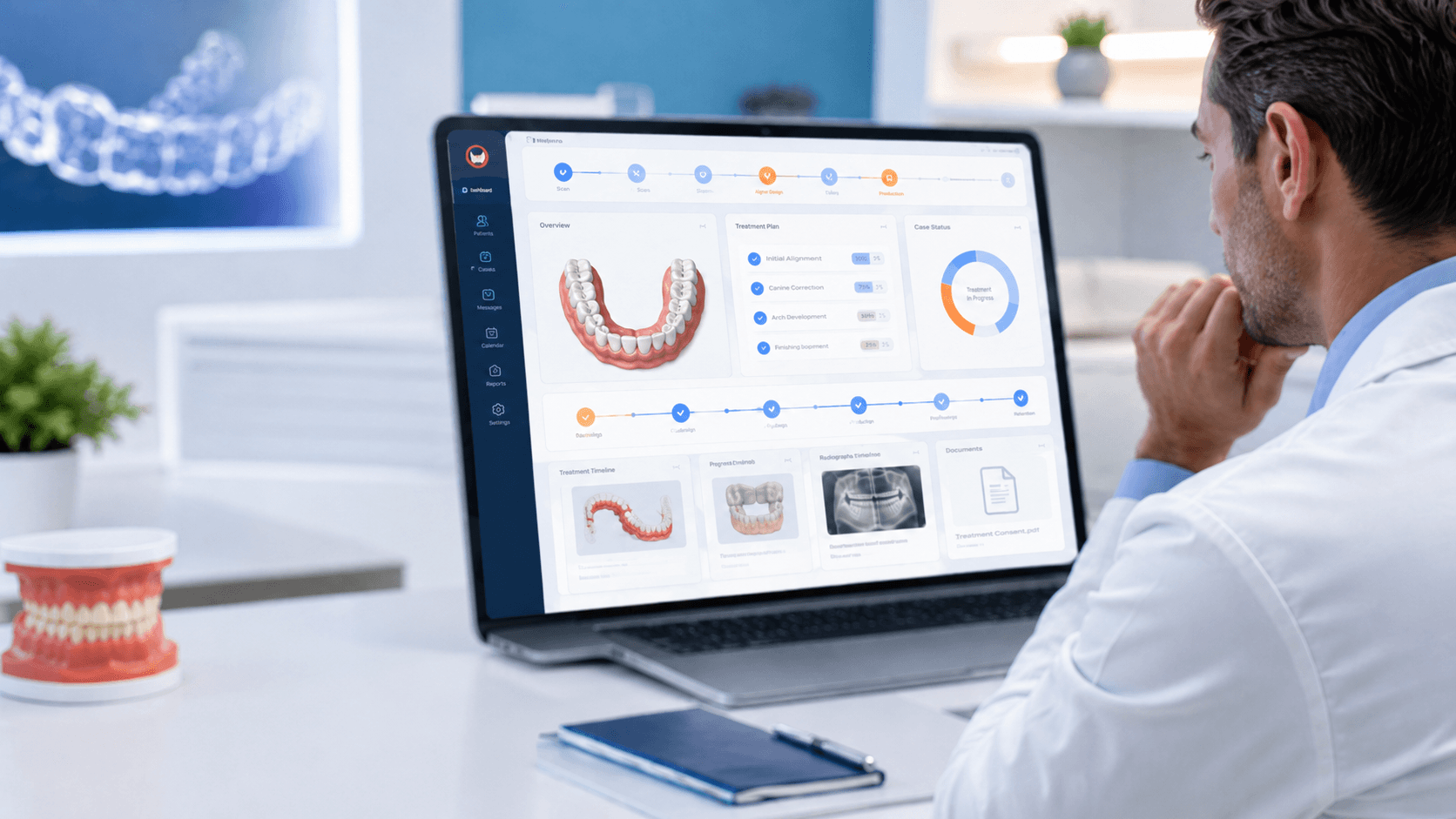
The Clear Moves doctor portal lets you monitor each patient's aligner journey from start to finish with real-time updates. You can upload, access, and manage all your patient files, treatment plans, and aligner stages in one place, while visual dashboards and progress bars give you an instant read on where each case is in its timeline. No more opening old threads to figure out whether a case has shipped.
The difference this makes to a busy practice is easiest to see side by side:
| Case Management Task | Without a Portal | With a Doctor Portal |
|---|---|---|
| Submitting a case | Email with attachments; risk of missing files | Structured upload with required inputs |
| Reviewing the plan | Download a file, open a separate viewer | Interactive 3D setup inside the case |
| Approving treatment | Reply-all email; unclear which version | One-click approval logged on the case |
| Checking case status | Message the team and wait for a reply | Real-time dashboard and progress bars |
| Finding patient files | Search through inboxes and folders | All files organized under each case |
When you're running only a handful of cases, you can hold the status in your head. Once you scale — or once you're running aligners across multiple locations — that stops working fast. A centralized admin view becomes essential, which is exactly why growing groups and DSOs adding clear aligners lean on portal-based tracking to keep quality consistent across every site.
Communication, Security, and Branded Access
Three more capabilities separate a real doctor portal from a glorified file-sharing folder — and each one directly improves how you manage cases.
Direct Communication With the Ortho Team
When a case needs discussion, you shouldn't have to start a new email chain and re-explain the context. The portal lets you communicate with the orthodontic experts directly on the case for reviews and support, so every question, answer, and decision stays attached to the patient it belongs to. That context is gold six months later when you revisit a case — nothing is lost in someone's inbox.
Security and Patient Data Protection
Patient data is protected with advanced security protocols and encrypted cloud storage, which matters more than most practices admit. Emailing scans, photos, and treatment records back and forth scatters sensitive patient information across inboxes and personal devices. Centralized, access-controlled storage isn't just more convenient — it's a meaningfully more secure way to handle the records you're responsible for.
White-Label Access Under Your Own Brand
For clinics, labs, and groups that want to own the patient experience, the admin portal can run under your own domain name and branding. Your team and patients interact with a platform that looks like yours, while Clear Moves handles 3D planning and manufacturing behind the scenes. This branded access is part of the broader white-label clear aligner solution, and it pairs naturally with full OEM manufacturing for practices building their own aligner brand.
Getting Started With the Clear Moves Doctor Portal
If your current aligner workflow lives in your inbox, moving to a portal is one of the highest-leverage changes you can make — it doesn't require new clinical skills, just a better system around the ones you already have. Here's how partnering works.
Access to the doctor portal comes with becoming a certified Clear Moves Aligners provider. Certified providers get individual logins, along with training on the submission and approval workflow so your team is confident from the first case. Once you're set up, the path is simple: submit a case, review the 3D setup, approve it, and track it to delivery — all from your dashboard.
- Register as a provider Reach out to the Clear Moves team to start onboarding and become a certified provider with portal access.
- Get your logins and training Receive dedicated doctor logins and a quick walkthrough of case submission, 3D review, and tracking.
- Submit your first case Upload scans, photos, and the patient concern — then review the interactive 3D setup and approve when it's right.
- Manage everything in one place Track every case in real time, message the ortho team when needed, and scale your aligner caseload without the admin chaos.
Already partnered? You can head straight to the doctor login to manage your cases. If you're not yet a provider and want to see how the portal fits your practice, the team can walk you through it and get you set up.
Frequently Asked Questions
What is a clear aligner doctor portal?
How does a doctor portal improve clear aligner case management?
How do I submit a clear aligner case through the doctor portal?
Can I review and approve the 3D treatment setup inside the portal?
Is patient data secure in an aligner case management portal?
Can the doctor portal be branded under my own practice or company name?
How do I get access to the Clear Moves Aligners doctor portal?
Worldwide

Manage Every Case From One Dashboard
Partner with Clear Moves Aligners to get doctor portal access, expert 3D treatment planning, and manufacturing you can trust — while you stay in full clinical control.
[email protected]